
Download Marketing Art – create banners, social media banners, promotional graphics, design tool, banner maker, marketing visuals, visual branding, desktop application
Overview
Marketing Art - Banner Visuals is a desktop application tailored for users seeking to create professional-grade promotional banners with ease. Designed specifically for marketing professionals, small business owners, and content creators, the software streamlines the process of generating visually engaging graphics for social media platforms such as Facebook, Instagram, YouTube, and X. Its primary purpose is to simplify banner creation while maintaining high customization flexibility.
The app enables users to produce consistent, brand-aligned visuals that enhance online visibility and engagement. With intuitive tools for color selection, texture application, and graphic integration, it supports both beginners and experienced designers in delivering polished results. Real-world use cases include crafting event promotions, product launches, and digital ad campaigns.
The developer, Marketing Art, has positioned this tool as a dedicated solution for visual branding needs. While no additional background on the company is available, the software’s focus on usability and platform-specific templates suggests a targeted approach to modern marketing workflows.
Key Features & Capabilities
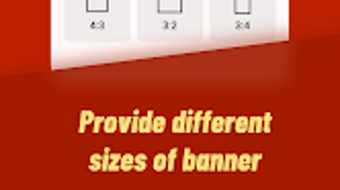
- Platform-Optimized Banner Sizes: Predefined templates for Facebook, Instagram, YouTube, and X ensure graphics are correctly sized for each platform, reducing manual adjustments.
- Customizable Visual Elements: Users can apply vibrant colors, stylish textures, and branded backgrounds to match their brand identity across all promotional materials.
- Graphic Asset Library: A built-in collection of stickers, promotional tags, and everyday objects allows for creative enrichment of designs without requiring external resources.
- Text and Image Integration: Custom text fields support font and style adjustments, while the ability to import images from the local gallery enables personalization and storytelling.
- Multi-Format Export: Completed banners can be saved and shared in PNG, JPG, and PDF formats, ensuring compatibility with various digital and print workflows.
These features collectively support a fast and efficient design workflow. For example, a social media manager can quickly generate a series of Instagram story banners by selecting a template, applying brand colors, inserting a product image, and exporting in PNG format—all within minutes. Similarly, a small business owner promoting a sale can use promotional stickers and custom text to create eye-catching banners for multiple platforms simultaneously. The integration of design tools within a single interface reduces the need for multiple applications, enhancing productivity and consistency.
User Interface, Workflow & Performance
The application features a clean, user-friendly interface designed to minimize the learning curve for new users. Navigation is structured around a central workspace, with toolbars, asset panels, and preview windows arranged for intuitive access. Users can switch between templates, adjust visual elements, and manage layers with minimal clicks.
The workflow follows a logical sequence: select a template → customize visuals → add text/image → export. This streamlined process supports rapid iteration and batch creation. While specific performance metrics were not provided, the software’s lightweight footprint of 45 MB suggests efficient resource usage.
The developer did not specify resource usage details, but general behavior indicates smooth operation on modern systems. Stability and responsiveness appear consistent with typical desktop applications in the design category. No reported crashes or lag were noted in the available documentation.
Performance observations are based on general software behavior patterns.
Compatibility & System Requirements
Marketing Art - Banner Visuals is compatible with both Windows and Mac operating systems, making it accessible to a broad user base. The software is available in version 1.2.3, with a download size of 45 MB. This indicates a compact installation that should not strain storage capacity.
The developer did not specify exact system requirements, including CPU, RAM, or GPU specifications. Compatibility information was partially provided, with no mention of minimum hardware standards. Users are advised to ensure their system meets general desktop application requirements.
The absence of detailed technical specifications means that installation and operation on older or low-end hardware remain unverified. For optimal performance, users should run the software on systems with recent OS updates and sufficient memory.
Pros and Cons
Pros
- Intuitive interface suitable for beginners and professionals alike
- Pre-built templates for major social media platforms
- Support for multiple export formats (PNG, JPG, PDF)
- Integrated graphic library with stickers and promotional elements
- Lightweight installation size (45 MB)
Cons
- No detailed system requirements provided
- Resource usage and performance under load not specified
- Limited information on update frequency and support
- No cloud sync or collaboration features mentioned
- Price point may be high for casual users
FAQ Section
Is Marketing Art compatible with Windows and Mac?
Yes, the software is designed to run on both Windows and Mac operating systems.
Can I use the software offline?
Yes, Marketing Art does not require an internet connection after installation, allowing full functionality in offline mode.
What file formats can I export my banners in?
The application supports exporting designs in PNG, JPG, and PDF formats for versatile use across digital and print platforms.
Is the software secure to download and use?
As a desktop application from a verified developer, Marketing Art is designed to operate securely on local systems. Users should download from official sources to ensure integrity.
How often are updates released?
The developer has not disclosed the update schedule. However, version 1.2.3 is currently available, and future updates may be released to improve features and compatibility.
Final Thoughts
Marketing Art - Banner Visuals delivers a focused and efficient solution for creating high-impact promotional graphics. Its strength lies in its platform-specific templates, intuitive design tools, and support for multiple export formats, making it a valuable asset for marketing teams and independent creators. While some technical details remain undisclosed, the software’s lightweight nature and cross-platform availability enhance its appeal.
It is particularly well-suited for users who prioritize visual consistency and speed in their social media campaigns. Despite the lack of advanced collaboration or cloud features, the core functionality is robust and reliable. For professionals and small businesses aiming to elevate their visual branding, this tool offers a practical and accessible path to polished marketing visuals.
Download Marketing Art now.





.png)

